


Music discovery should feel intuitive and personal. That’s why we’re continuing to give you more control, so you can ask for what you want, shape what you hear, and get to the right music faster. This is part of how we’re making discovery feel more natural over time, whether you’re exploring something new or finding the perfect sound for a moment or mood.
Request your vibe, right from your Home screen
Since its launch three years ago, DJ has become one of Spotify’s most popular features. With the addition of requests in 2025, we gave DJ listeners a more intuitive way to switch up the vibe and decide what comes next.
Now, Premium users can instantly start a personalized session—or make a request by text or voice—using a new, dedicated DJ button on the Spotify Home screen, located just under Shortcuts. Whether you’re in the mood for “upbeat hits for a workout” or “tracks like my top songs from 2025,” DJ serves up a curated mix of music and commentary tailored to you.
DJ on Home is rolling out in English in the U.S., Canada, U.K., Australia, Sweden, and Ireland.
Design your own discovery with Prompted Playlist
When you know exactly what you want to listen to—a mood, a memory, a moment—building the perfect playlist from scratch can feel daunting. That’s where Prompted Playlist comes in.
Currently in beta, Prompted Playlist puts you in control by letting you describe what you want to hear using your own words, then turning that into a personalized playlist. What makes this feature special is the depth behind it: Spotify brings your idea to life by drawing from your entire listening history and what’s trending across music and culture right now.
Not sure where to start? Try out prompts like these to discover music you’ll love:
-
- “Find one artist I haven’t listened to yet but would probably love, or an artist I’ve only heard one or two songs from, and introduce me to them. Build a playlist of songs that’ll give me an overview of their catalog so it feels like I’m getting to know them. Put the songs you think I’ll like the most in the top five spots.”
- “Make me a playlist of songs I’ve saved to my Library (playlists or Liked Songs) that I either haven’t played yet or have only listened to once. The goal is to round up those songs I found, saved, and then totally forgot to revisit. Give me a chance to finally hear what I’ve been missing.”

Just tap “Create” and select Prompted Playlist to get started. You can tap “Ideas” for quick suggestions, refine your prompt anytime, set your playlist to refresh daily or weekly so it evolves with your world, or start fresh whenever inspiration hits.
Prompted Playlist is available in beta for Premium users in New Zealand, the U.S., and Canada.
Fine-tune your Discover Weekly with genre controls
A Monday ritual for millions, Discover Weekly has been connecting listeners with their next favorite music for more than a decade. As Spotify’s original personalized playlist, it’s a trusted source for finding new favorites and deep cuts from artists you already love.
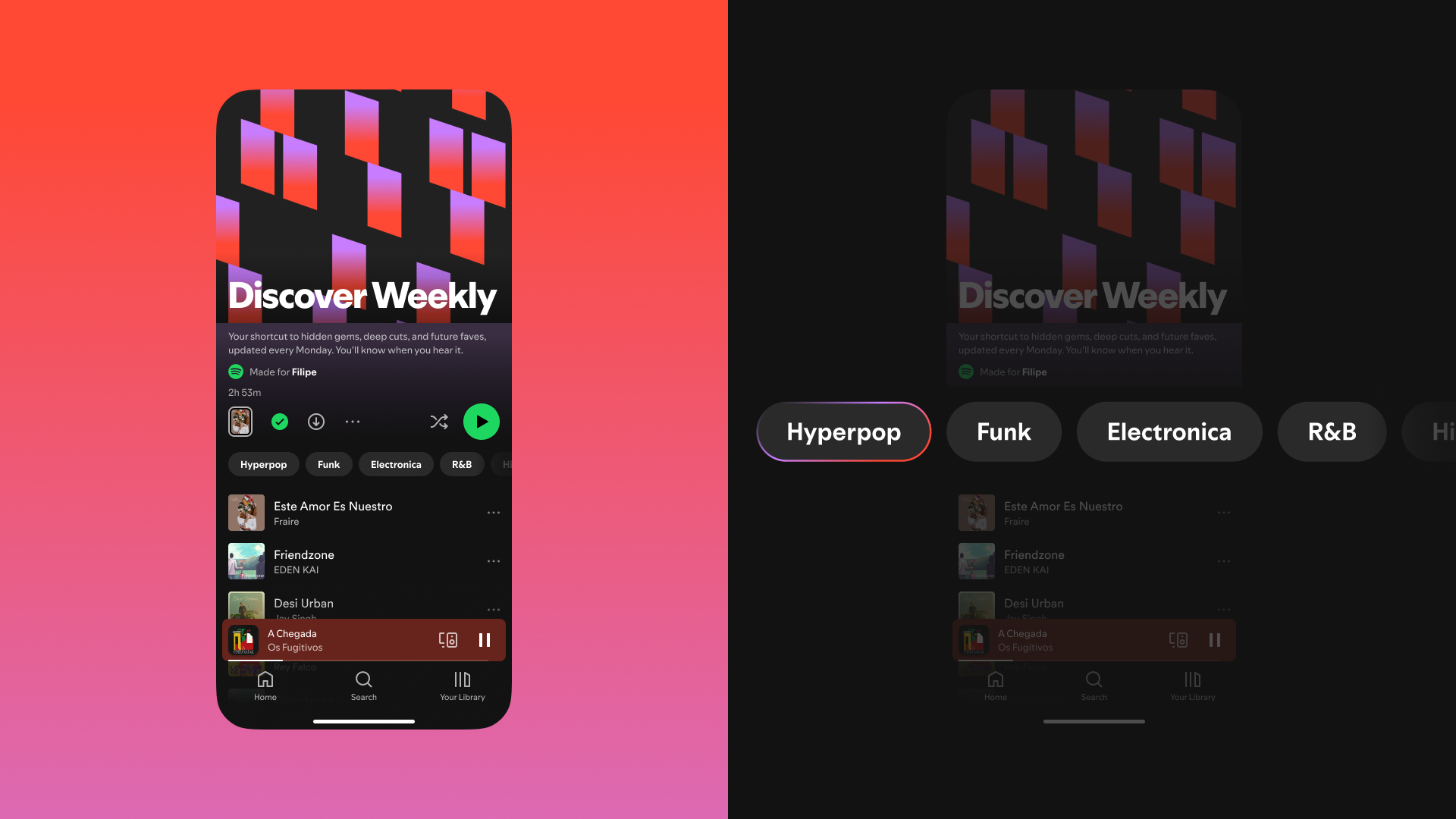
After a refresh last year, Discover Weekly became even more personalized. For Premium users, controls at the top of your playlist let you choose from up to five genres to shape a fresh 30-track playlist.
Together, these features make it easier to find the right music, right when you want it.



Recent Comments