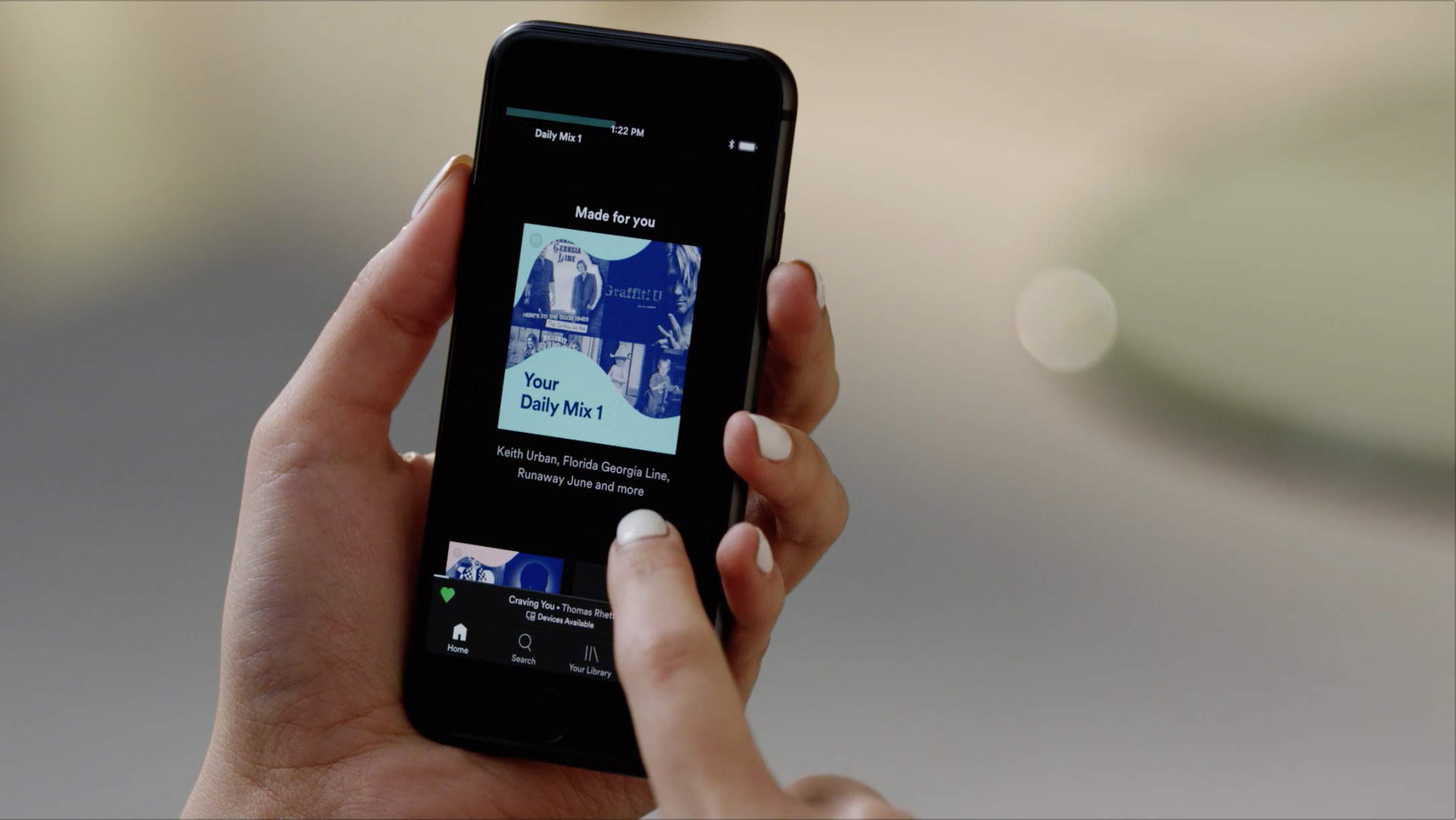
Your music-listening experience should be exactly that—yours. We’ve come up with a bunch of ways to help you get the most out of your jam sessions (think Discover Weekly and enhanced playlists), so you’re fed the music you love, plus the occasional new tune.
Another cool tool is the Daily Mix, a feature both premium and free users can enjoy on the mobile and desktop experience. After you’ve been listening to your favorite hits on Spotify for some time, (in the new app for free users, it can be the very day you download,) the platform will serve up to six personalized playlists based on your favorite songs and related music you might enjoy. And these playlists update daily, so the head-bopping never stops.
We sat down with the minds behind Spotify’s Daily Mix playlists to learn a little more about how they work and how listeners can best use the feature.
Q: What is the Daily Mix? Where can users find it in their apps?
The Daily Mix is a set of up to six pre-mixed playlists inspired by our users’ favorite music. It can be found in “Your Library” on desktop or premium mobile, the radio tab on premium mobile, or on the home screen for users of the new free app experience.
Q: How did the Daily Mix come to be?
Daily Mix was designed to provide familiar, comfortable music within each of the user’s top listening modes. It’s designed to be the shortest path to a good musical experience. It reflects how the user actually listens, rather than matching their favorite music against predefined genres. We use clustering technology to identify distinct subgroupings within our users’ listening patterns, and then build recommendations around those, mixing in appropriate new suggestions along with the known favorites.
Q: How does the Daily Mix use listener preferences to deliver the mix? (AKA how does the playlist work from a tech standpoint?)
We consider inputs including listening history and active feedback, and look for groupings of a user’s most commonly listened to artists to create the Daily Mix. Once we’ve identified clusters of music, we extend each with recommendations using our understanding of the user’s favorite music, and then pick a balance of music they’ve played before and new content to fill out the playlist.
Q: There are multiple Daily Mix playlists served up each day. How is each one different, and how diverse can they get?
A: Each one is based on a different listening mode or grouping we identify in the user’s listening and feedback. There can be up to six, and they can be as widely diverse as the user’s history suggests. Someone who listens to a lot of different kinds of music will have more mixes than someone who primarily focuses on one style.
Q: Does the order of the Daily Mixes matter?
A: They’re ordered roughly based on how much of the user’s listening inspired each one.
Q: How is the Daily Mix different from the Discover Weekly playlist?
A: They’re intended to fulfill very different needs. Daily Mix emphasizes familiar and even favorite music with only a small amount of discovery. Even the discovery we do introduce should be less adventurous than Discover Weekly. The Daily Mix is also unbounded—for Premium users, it will load more songs as needed to keep the music going without stopping, while Discover Weekly always has 30 tracks.
Q: Can free users enjoy the Daily Mix playlist?
A: Yes! It’s available to all users who we know enough about to generate one. On the new experience for free users, it’s considered to be one of their 15 Spotify-curated playlists, so they are able to play any song on-demand.
Q: If users don’t like what is showing up in their Daily Mix, how can they adjust it?
A: The like/dislike icons allow users to steer the mix. “Disliking” will exclude the song or artist from all mixes from that point forward. Continuing to stream and listening to new music is the best way to get an entirely new mix.




Recent Comments